
Read the name
Start with the name and address printed on the receipt.
Keep receipts together by supplier. Recognise the logo, find the branch and check the business details.
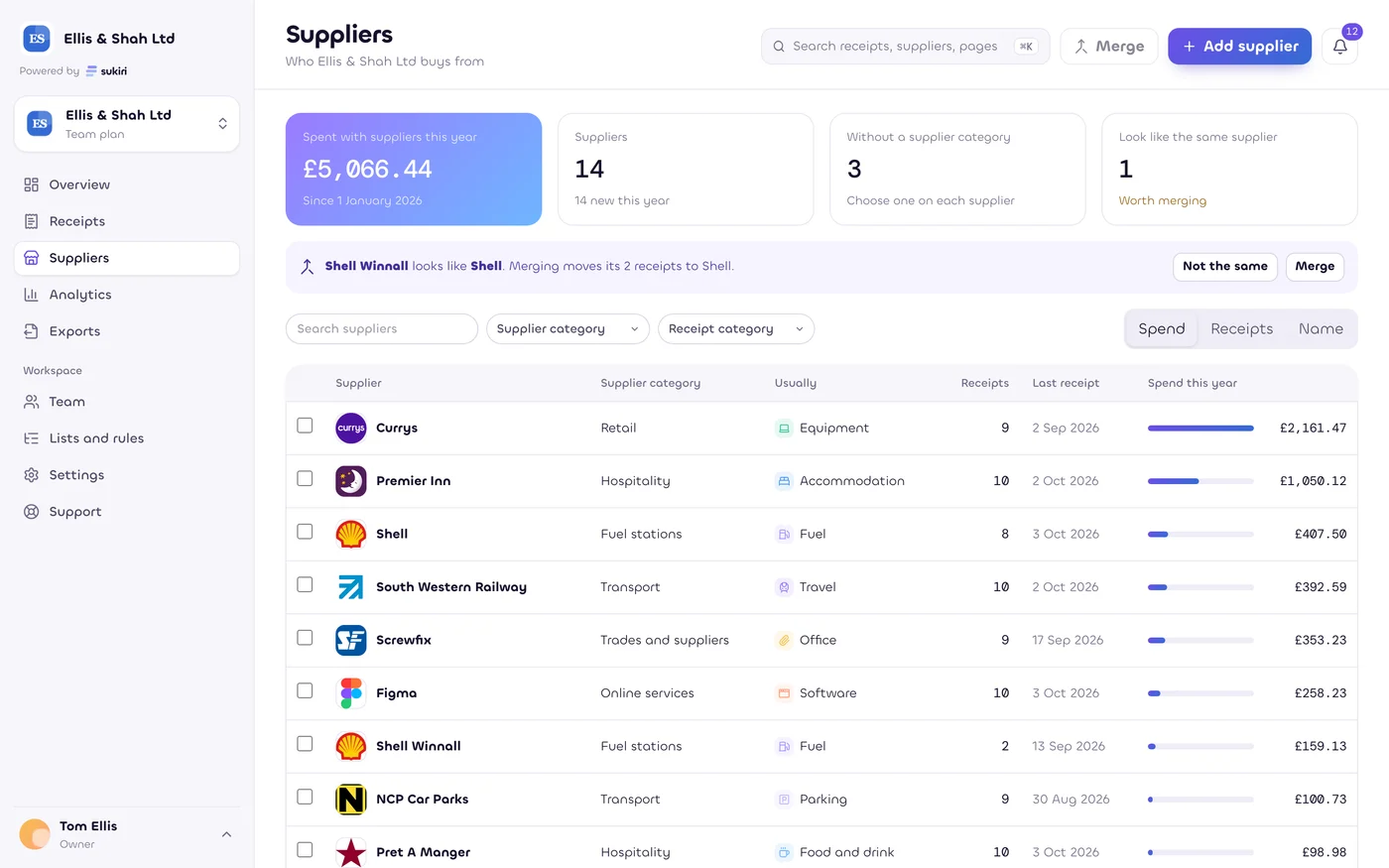
The receipt name is matched to supplier facts, then you check the match.
Start with the name and address printed on the receipt.
Use business identifiers and known aliases to suggest the supplier.
Keep a location separate from the wider business.
Use the supplier you confirmed across your workspace.
A supplier name, logo or business address can improve the shared list. Your receipt image, items, totals and notes do not become a public supplier record.
Business names, branches and identifiers are distinct from private receipts.
Names, codes and corrections you use remain under your control.
A VAT number check is a useful clue, not tax advice or proof that a claim is valid.
Rename a supplier for your workspace, keep account codes and resolve duplicates. The original receipt remains available beside its fields.
Common supplier names and logos belong in the basic experience. Enrich is the planned add-on for deeper location, item and business checks. Prices and availability are shown on Pricing.
Estimates only, as at 5 October 2026. Not tax, legal or financial advice. Rules change. Check with your accountant.
Start with your free personal workspace.
Add your team when you need it.